Horses vs. Humans


Overview
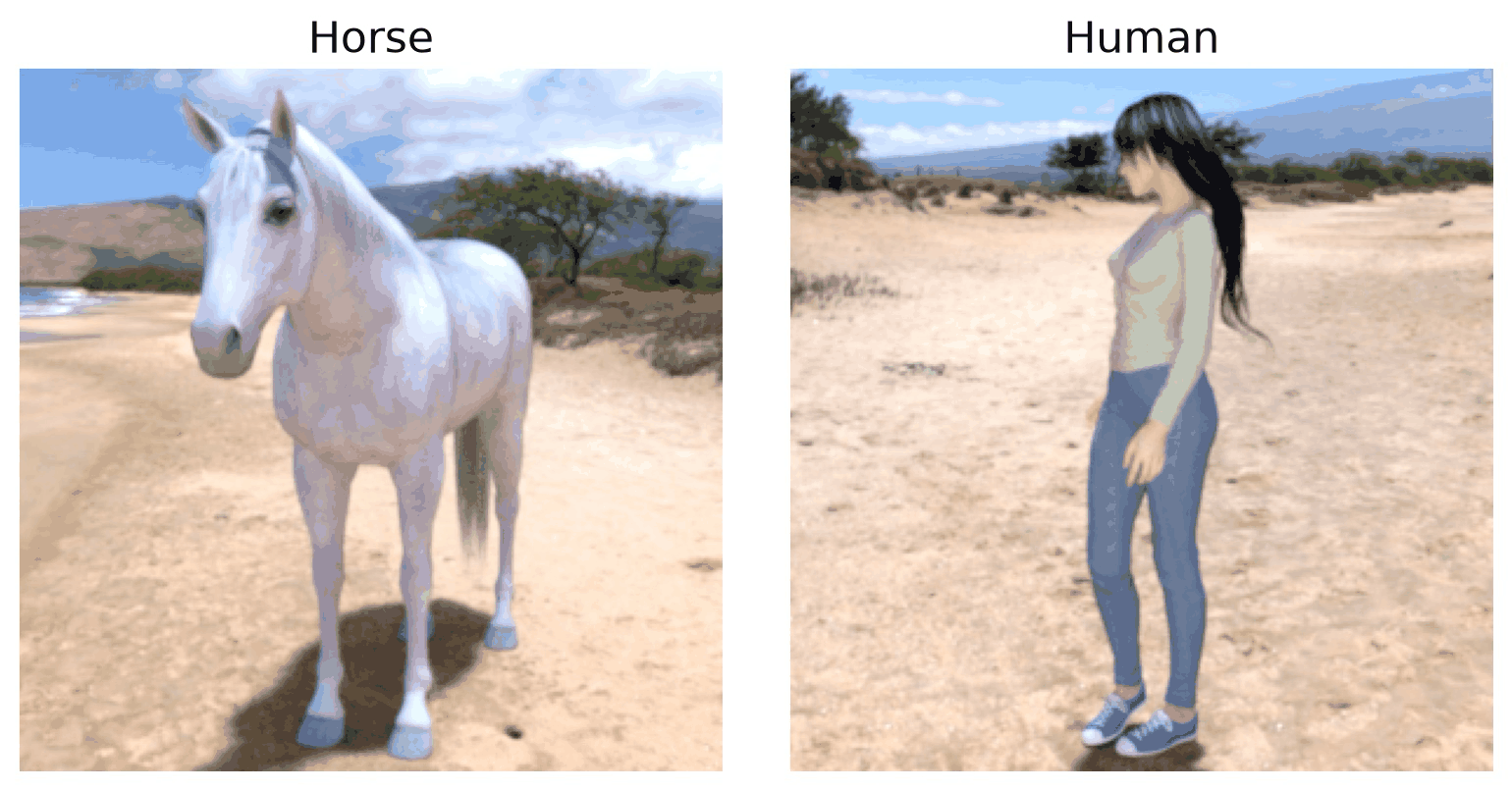
Horses vs. Humans is a binary image classification dataset created by Laurence Moroney. It contains images of horses and humans, organized into two categories.
Each image has a resolution of 300x300 pixels and is loaded as an RGB image. The dataset is suitable for supervised image classification, computer vision research, and transfer learning.
This implementation uses the Horses vs. Humans dataset hosted on Google Cloud Storage and preserves its original training and validation splits.
Dataset Splits
The dataset contains two predefined splits:
Train: 1,027 images from the original training archive.
Test: 256 images from the original validation archive.
The loader does not randomly divide the dataset. No separate validation split is provided.
The original validation split is exposed as the test
split for consistency with other datasets in this library.
Data Structure
Each dataset example contains the following fields:
Key |
Type |
Description |
|---|---|---|
|
|
RGB image with resolution 300x300. |
|
|
Zero-based category index. |
Images are converted to RGB using Pillow. The loader supports
.jpg, .jpeg, and .png files.
The dataset contains two classes:
Label |
Class Name |
|---|---|
|
horses |
|
humans |
Class names are defined in a fixed order and assigned integer labels starting from zero.
The same label mapping is used for both splits to ensure consistent category indices.
Usage Example
Basic Usage
from stable_datasets.images.horse_or_human import HorseOrHuman

def main():
    train = HorseOrHuman(split="train")
    test = HorseOrHuman(split="test")

    print("Training examples:", len(train))
    print("Test examples:", len(test))

    sample = train[0]

    print("Image size:", sample["image"].size)
    print("Image mode:", sample["image"].mode)
    print("Label:", sample["label"])

    # Image size: (300, 300)
    # Image mode: RGB

    print("Number of classes:",
          train.features["label"].num_classes)

if __name__ == "__main__":
    main()
Loading All Splits
from stable_datasets.images.horse_or_human import HorseOrHuman

datasets = HorseOrHuman(split=None)

train = datasets["train"]
test = datasets["test"]

print(len(train), len(test))
Displaying an Image
import matplotlib.pyplot as plt
from stable_datasets.images.horse_or_human import HorseOrHuman

train = HorseOrHuman(split="train")
sample = train[0]

plt.imshow(sample["image"])
plt.title(f"Class: {sample['label']}")
plt.axis("off")
plt.show()
Implementation Details
The loader downloads the dataset as two ZIP archives
and reads images directly using Python’s zipfile module.
The loading process is:
Download the training and validation ZIP archives.
Open the requested ZIP archive.
Find supported image files.
Extract class names from the parent directory.
Map
horsesto label 0 andhumansto label 1.Convert images to RGB using Pillow.
Return each image with its corresponding label.
The loader preserves the original image resolution and does not apply normalization, resizing, or augmentation.
Users may apply model-specific preprocessing separately. For example, vision transformers may require resizing images to 224x224 pixels.
The loader uses a fixed class mapping to ensure consistent labels across the training and test splits.
References
Citation
@misc{horses_or_humans,
author = {Laurence Moroney},
title = {Horses or Humans Dataset},
month = feb,
year = {2019},
url = {http://laurencemoroney.com/horses-or-humans-dataset}
}